Worked solution
A missing output between two pieces
Given that Sketch the graph of and state the range of the function.
2010/CJC/MYE/12(a)(i)
CJC · Functions · Example 11
Sketch the two pieces
Answer
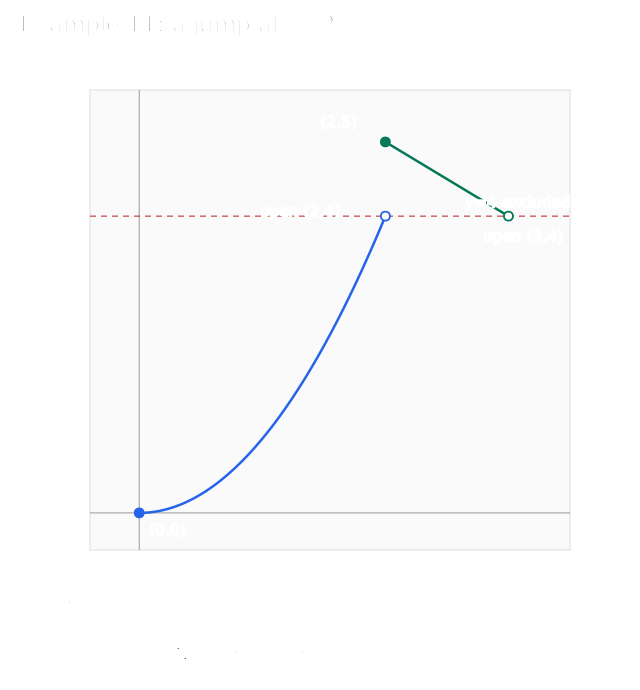
Closed and ; open and .
Draw only on , starting at the included origin and approaching the excluded . Draw only on , from included to excluded . Do not join the jump at ; its value is 5, not 4.
Expand diagramFit diagram to page
Use the scrollbars or arrow keys to inspect details.
State the range
Answer
.
The quadratic piece reaches every output in ; the decreasing line reaches every output in . Neither reaches 4. Union these output sets without filling the missing value. The source range is visibly completed only in the Teacher copy; native Student extraction contains answer text hidden from the rendered answer space.
Use the printed calculator procedure
Answer
Use the screen to inspect shape; determine exact endpoints algebraically.
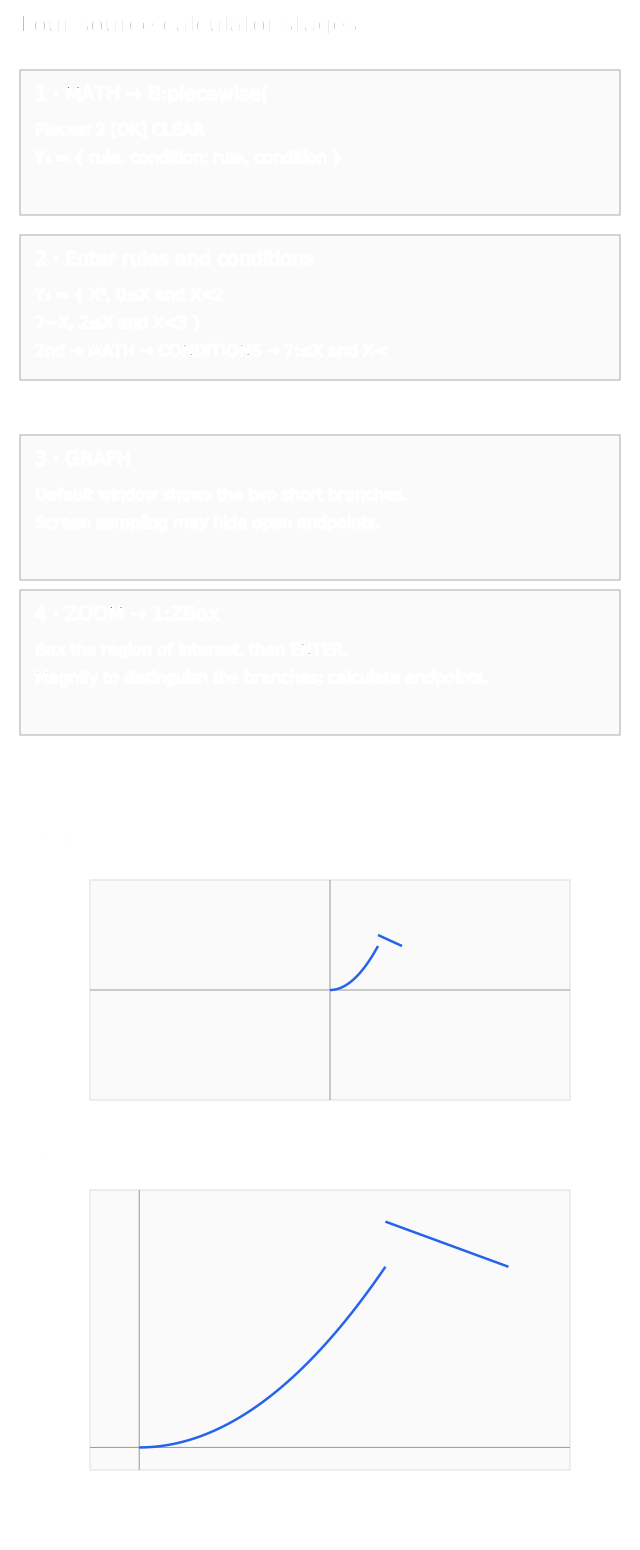
- Press Y=, then MATH, scroll to B:piecewise(, press ENTER, set Pieces:2, select OK, then ENTER. The template contains two rule/condition rows. 2. Enter with , and with . For conditions use 2nd → MATH → CONDITIONS → 7:≤X and X<. 3. Press GRAPH. 4. Use ZOOM → 1:ZBox, box the desired region, then ENTER. ZBox magnifies the selected portion. The screen may not resolve endpoints: calculate their coordinates and inclusion algebraically. Menu labels can vary by calculator model; the reconstruction illustrates the source sequence rather than emulating a device.
Enter and inspect a piecewise function
1. Create two pieces
Press Y=, then MATH. Select B:piecewise( and press ENTER. Set Pieces:2, select OK, then press ENTER.
2. Pair each rule with its condition
Enter the rules in the two rows of Y1. For the interval template use 2nd → MATH → CONDITIONS → 7:≤X and X<.
- First rule
- X², 0≤X and X<2
- Second rule
- 7−X, 2≤X and X<3
3. Inspect the branches
Press GRAPH. If the short branches are hard to distinguish, use ZOOM → 1:ZBox, box the region of interest, then press ENTER. This magnifies the selected portion.
4. Check endpoints from the conditions
Determine inclusion from the inequalities. At x=2 the first rule is excluded and the second gives f(2)=5. Do not join the jump or fill the missing output 4.
Check endpoints from the conditions Endpoint Included? (0, 0) Yes (2, 4) No (2, 5) Yes (3, 4) No Range: [0, 4) ∪ (4, 5]
Screen sampling may hide open endpoints. Calculate their coordinates and inclusion algebraically. Menu labels can vary by model; the retained screens illustrate the source sequence rather than emulate a device.
View original calculator screens
Expand diagramFit diagram to page
Use the scrollbars or arrow keys to inspect details.